תיאור
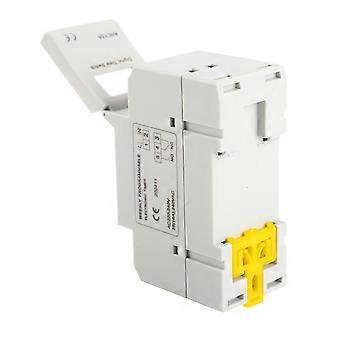
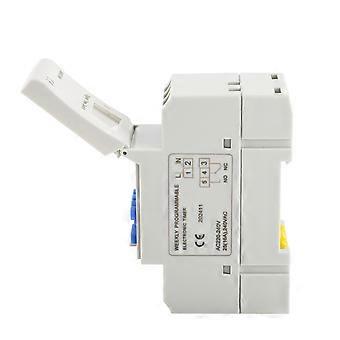
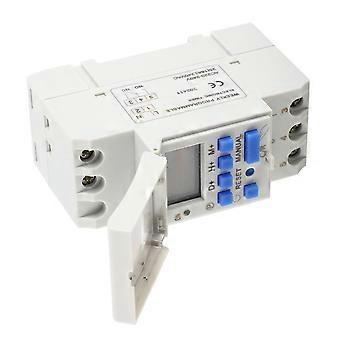
DEWIN Digital Timer, DIN Rail Digital Time Switch Weekly Programmable Electronic Timer Relay (Size : AC220V) U7C5R
Features
【Function】: Digital timer with daily and weekly preset function, can be preset one week in advance, easy to set up, simple application, long service life.
【Programmable】: The LCD display of the timing relay is programmable, repeatable program of 16 on/off settings, high precision, can be set with minute accuracy.
【Digital Display Time Timer】: LCD displays hours/minutes and on/auto/off in real time. The timer switch can automatically turn on/off various electrical equipment according to the time set by the user.
【High Precision】: The switch timer has a built-in industrial-grade chip, which has high precision, strong anti-interference ability and relatively long service life.
【Wide range of applications】: The control objects of electronic timers can be street lights, neon lights, billboards, production equipment, radio and television equipment, and other electrical equipment and household appliances that require timed switches.
Specifications:
Input Voltage: DC12V, DC24V, AC220V(Optional)
Contact Voltage Rating: AC 180V to 264V(50/60Hz)
Load Capacity: 16A 250VAC(resistive load)
On/Off Operation: 16 on and 16 off(manual/auto)
Display: LCD
Power: 4.5VA(max)
Error: ≤2s/day(25℃)
Mounting Method: DIN rail(not included)
Bound: 1 min to 168 hours
Operating Temperature: -10℃ to 55℃
Size: 86 x 36 x 65mm / 3.38 x 1.41 x 2.56"
Instruction:
1, When you use the timer switch for the first time, input AC and charge the inbuilt battery please, then press reset button.
2, The timer switch is at 24-hour mode as default. Press and hold "time" button(bottom left, next to "reset") for 5 seconds till it display "AM" to set to 12-hour mode. Press and hold again "time" button for 5 seconds to set back to 24-hour mode.
Programming:
Step 1 Press P to set the "1 ON" time (display 1 off).
Step 2 Press D+ to select the days of the week (if you want to use the same setting every day, you do not need to press this button).
Step 3 Press H+/M+ to set the hours and minutes
Step 4 Press P to set the "1 OFF" time (display 1 off).
Step 5 Press P to select the day of the week (you do not need to press this button if you want to set the same setting every day)
Step 6 Press H+/M+ to set the hour and minute.
Step7 Repeat steps 2 to 6 to set other on/off times.
Step8 Press "Time" (bottom left, next to "reset") to end.
Package Includes:
1 x Timer Switch
1 x English Manual
Package List
-
מזהה Fruugo:
397645576-848046305
-
EAN:
9789622491632
מידע על בטיחות המוצר
אנא עיין במידע בטיחות המוצר הספציפי למוצר זה המתואר להלן
המידע הבא מסופק על ידי קמעונאי צד שלישי עצמאי המוכר מוצר זה.
תוויות בטיחות למוצר

אזהרות בטיחות:
Please do not allow your child to handle this product alone to avoid swallowing or other injuries; adult supervision is recommended.
מרכיבים:
As shown in the figure
משלוחים והחזרות
שילוח תוך 2 ימים
משלוח מ- סין.
אנו עושים כמיטב יכולתנו להבטיח שהמוצרים שאתם מזמינים יישלחו אליכם במלואם ובהתאם למפרט שלכם. עם זאת, אם תקבלו הזמנה חלקית, או פריטים שונים מאלו שהזמנתם, או שיש סיבה אחרת לכך שאינכם מרוצים מההזמנה, באפשרותכם להחזיר את ההזמנה, או כל אחד מהמוצרים הכלולים בהזמנה, ולקבל החזר מלא עבור הפריטים. הצג מדיניות ההחזרים המלאה